
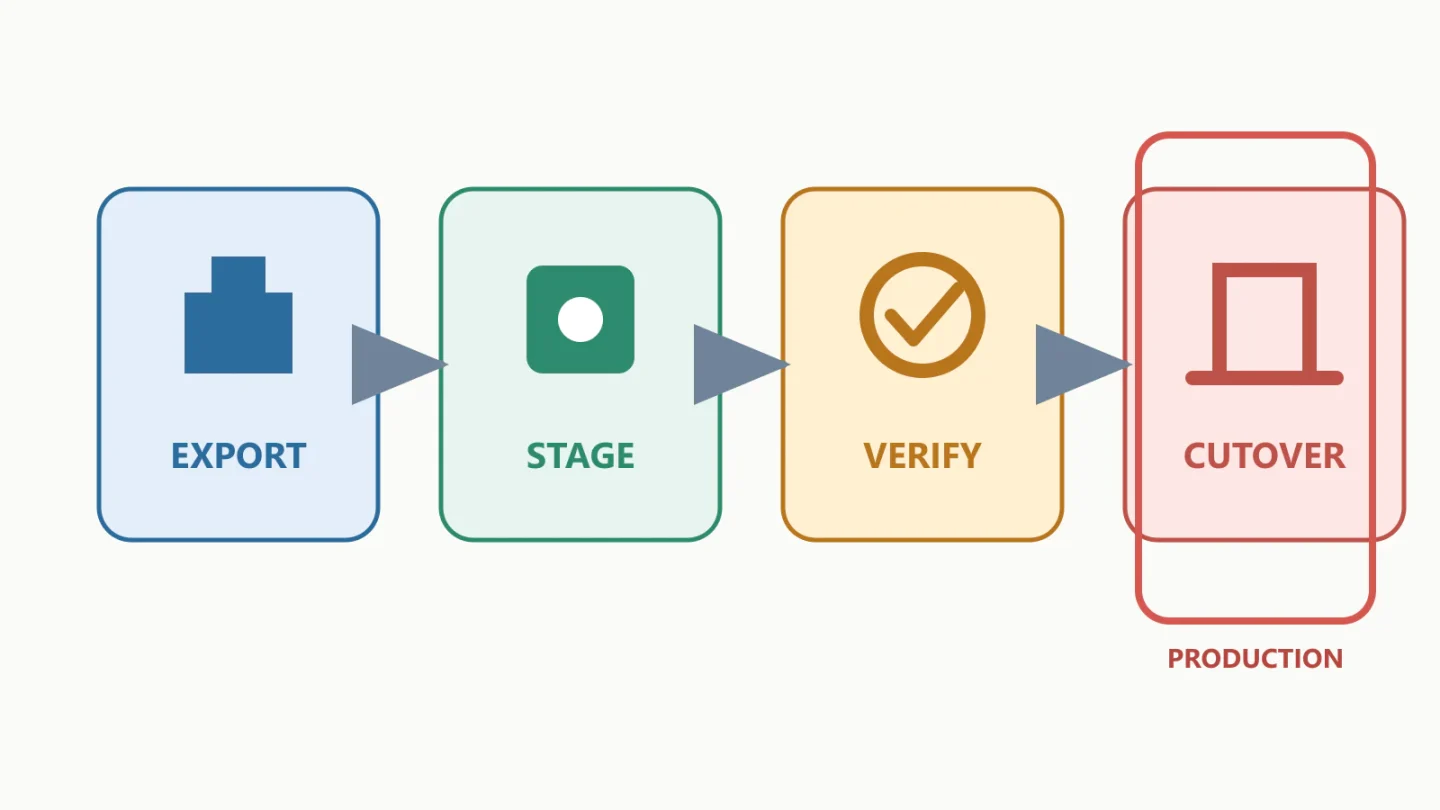
This field note documents an August 2026 development milestone in the Bluegrass Cloud website rebuild. It is not a customer case study, a launch report, or a statement of the live site’s production architecture. At that checkpoint, a Squarespace export had been inventoried, its content reshaped for WordPress, a custom theme and governed content model built, and a release packaged, deployed, and tested on an authorized development site.
That historical boundary matters. The project records stated that production content, DNS, nameservers, AWS or Lightsail infrastructure, and server networking had not changed at that checkpoint, and they listed production decisions that were still open. The useful lessons are therefore about migration discipline, theme engineering, content governance, and development verification—not claims about later production performance, architecture, or cost.
Start with source evidence, not a blank redesign canvas
The repository preserves a Squarespace-origin WordPress eXtended RSS export at source-content/bluegrasscloud-squarespace-export.xml. The accompanying audit identifies it as WXR 1.2, approximately 2.05 MB, containing 47 items: 23 pages, 12 posts, and 12 attachments.
Those counts did not become a requirement to recreate 47 URLs or copy every block. They established what existed and what needed an explicit disposition. The audit also reconciled historical routes, post slugs, taxonomy, attachments, and source observations so that redesign decisions would not silently erase content or invent facts.
Before writing templates, the project separated several kinds of evidence:
- historical source content from the export;
- current owner-approved service scope;
- brand and media evidence available in the workspace;
- development implementation state; and
- future production decisions that had not been authorized.
This prevented an old page from becoming current service authority merely because it appeared in the export. A migration can preserve history while still correcting the destination’s information architecture.
Migrate meaning, not platform markup
The export contained large HTML fragments with Squarespace-specific wrappers, identifiers, data attributes, layout classes, inline presentation, image variants, and runtime references. Pasting those fragments into WordPress would have made the new site dependent on markup the new theme did not own.
The project’s content plan instead called for parsing the source into semantic units: headings, paragraphs, lists, quotations, images, links, and other meaningful structures. Presentation wrappers and source-platform runtime attributes could then be removed, while text, link intent, article history, and media relationships could be reviewed deliberately.
This approach also made heading responsibility clear. The WordPress template supplies the page or post title, so migrated body content should begin below that level. That prevents duplicate first-level headings and gives assistive technology a more predictable document outline.
The principle generalizes to most content-system changes: preserve information, provenance, and intentional relationships; rebuild layout in the destination’s native system.
Define the destination content model before styling it
The destination uses ordinary WordPress concepts rather than treating every screen as a one-off composition:
- Pages for the homepage, audience paths, service hubs, individual services, company information, contact, and legal content.
- Posts for Insights, preserving historical article identity where appropriate.
- Templates for the front page, posts index, single posts, pages, archives, search, and error states.
- Reusable template parts and patterns for cards, calls to action, related insights, service groupings, and shared structural elements.
A governed JSON content manifest in content/site-content.json records titles, slugs, paths, template assignments, SEO copy, body HTML, and calls to action for the approved page set. It is not a replacement for the WordPress database; it is a reviewable source for synchronizing content and detecting drift across repeated surfaces.
The development report records 20 governed pages, including exactly six enterprise services and six small-business services. That same controlled taxonomy appears across navigation, page content, metadata, and the contact form. The result is less likely to call a service by one name in the menu, another on the page, and a third in the form.
Build a custom WordPress theme around clear template ownership
The repository contains a custom theme under theme/bluegrass-cloud/. It uses the PHP-template structure recognized by WordPress, including style.css, index.php, front-page.php, home.php, single.php, page.php, archive.php, headers, footers, search templates, and reusable template parts.
WordPress’s Theme Handbook explains that index.php and style.css are foundational classic-theme files, while more-specific templates are selected through the template hierarchy. In this project, those specific files make ownership visible:
front-page.phpowns the static homepage composition;home.phpowns the posts index;single.phpowns an individual Insight;- page templates and fallback parts own service and audience layouts; and
- archive, search, and 404 templates own states that are easy to overlook in page-builder work.
The theme also includes theme.json, which WordPress provides for structured settings and global styles, plus dedicated CSS, JavaScript, font, image, pattern, and form-integration files. This creates a source-controlled design system instead of scattering styling decisions through exported inline attributes.
Reusable PHP visuals in template-parts/visuals/ keep several technical illustrations in the theme rather than embedding opaque third-party widgets. The styles include a reduced-motion path that removes animation where the user requests it. That does not by itself prove complete accessibility, but it demonstrates that motion behavior was treated as an implementation concern rather than an afterthought.
Use the homepage as a query surface, not a manually duplicated blog
The destination theme separates the homepage and the Insights index. WordPress owns posts as content records; templates can query and render selected articles in a consistent card component. That makes it possible for featured Insights on the front page to change as the library grows without copying an article’s title, category, image, and excerpt into several unrelated page-builder blocks.
The same principle applies to related-content sections on service pages. A card should derive its canonical URL, title, date, excerpt, taxonomy, and featured media from the post record. Manual curation can still decide which posts deserve emphasis, but it should select records rather than create duplicate records.
For the rebuilt site, the Services architecture and audience paths were likewise governed. Reuse is not only a development convenience; it is how the site keeps repeated claims and navigation choices aligned.
Package and verify a development release
At the documented checkpoint, the repository contained an installable theme archive under dist/, dated backups, deployment records, and test evidence. The deployment report recorded that a release package was uploaded to the WordPress Media Library on the development site and that its remote hash matched the local archive. Hash comparison does not prove the site works, but it did prove that the verified artifact and uploaded artifact were identical at that checkpoint.
The same development record reports:
- the custom theme active on the authorized development site;
- 20 governed page routes published;
- visual and regression checks across those routes at seven viewport widths;
- a production-style audit run against development with 25 crawl targets, 112 responsive views, and 46 checked links; and
- one labeled contact-form release test stored successfully in WordPress.
These are development test results, not field performance data. The report explicitly says the automated evidence does not establish Core Web Vitals, every assistive-technology combination, legal compliance, media rights, or production readiness. That qualifier is as important as the pass counts.
Record failures instead of smoothing them into a launch story
The development contact-form test produced a useful split result. The application displayed its configured success state and stored the accepted submission in WordPress. The email notification did not complete because the recorded WordPress mail transport had no configured mailer. Provider acceptance and recipient inbox delivery therefore were not reached.
The content and privacy copy were written to match that evidence: a success message meant storage succeeded; it did not claim email delivery. At that milestone, the remaining production gate was to configure an approved authenticated transport and verify the WordPress send, provider acceptance, and recipient inbox separately.
This is a good release-reporting pattern. Break a workflow into observable stages, report which stage passed, and preserve the first failed boundary. “The form works” and “email is broken” are both too coarse to guide a safe next step.
Development deployment was not production architecture
The project records preserved the development host and its /index.php/ route fallback at that checkpoint. They did not establish the permalink structure, hosting topology, CDN, certificate path, backup design, DNS arrangement, or monitoring model that production would later use.
At that milestone, the final development report listed these open gates:
- authenticated mail transport and delivery verification;
- qualified privacy and legal review against actual data flows;
- production media-rights confirmation;
- a production backup, restore, and rollback procedure;
- canonical host and permalink decisions;
- redirect, indexing, sitemap, analytics, and consent decisions; and
- cache, monitoring, infrastructure, DNS, and cutover approvals.
At that checkpoint, it would have been misleading to claim a production AWS architecture, CDN design, cost reduction, performance gain, or completed launch. The site subsequently moved beyond this development milestone, but this dated note intentionally stops at the reviewed development release and does not infer the live production design.
Make content migration a controlled data exercise
A reliable content migration needs an evidence-backed mapping before import. For each source record, capture the original identifier and date, title, slug, content type, taxonomy, media relationships, and known destination. Preserve those values only when the export or another authoritative record actually supports them. A blank field is a review item; it is not permission to infer a publish date, invent a category, or make a historical URL look more certain than the evidence allows.
The development site’s /index.php/ routes illustrated why environment state belongs in the mapping rather than in permanent marketing language. Those paths were useful migration data: they let the team test destination pages, compare source-to-destination coverage, and identify links that might need redirects. They did not prove the final production permalink structure. At that checkpoint, the canonical host, permalink rules, and redirect plan remained production decisions pending approval and deployment.
Validate the mapping in both directions. Every source URL should have an explicit disposition—migrate, consolidate, redirect, archive, or intentionally omit—and every destination record should point back to its evidence. Before cutover, test redirect behavior with representative query strings and trailing-slash variants, check for chains and loops, and crawl internal links against the approved destination routes. After cutover, repeat the crawl and review server or analytics evidence for missed requests instead of assuming the spreadsheet was complete.
This discipline also constrains reporting. A successful import, matched record count, or clean redirect test is valid evidence for that checkpoint. It is not evidence of faster pages, lower operating cost, improved rankings, or better conversion. Those outcomes require separately defined measurements and an appropriate observation period. The field note should preserve what was verified, label what remains a development-state assumption, and leave unmeasured benefits unclaimed.
What this rebuild changed about the engineering process
- Inventory precedes redesign. Export counts, routes, posts, media, and provenance provide a factual baseline.
- Scope outranks historical copy. Old pages are evidence, not automatic authority for today’s services.
- Semantic content outlives platform wrappers. Rebuilding meaning in native templates reduces source-platform residue.
- A content manifest can govern repeated surfaces. Navigation, pages, metadata, and form options should agree.
- Templates need explicit ownership. Homepage, index, single, archive, search, and error states all deserve intentional behavior.
- Artifacts should be reproducible. A versioned archive and hash provide a release identity.
- Tests need scope labels. Development regression evidence is valuable precisely because it is not presented as production proof.
- Open gates belong in the deliverable. A release report should make the next authorization boundary visible.
Small organizations considering a similar migration can review Managed Websites and Hosting. The most useful starting information is the current platform, content inventory, ownership of domain and hosting accounts, maintenance responsibilities, and desired production outcome. When that context is ready, contact Bluegrass Cloud.