
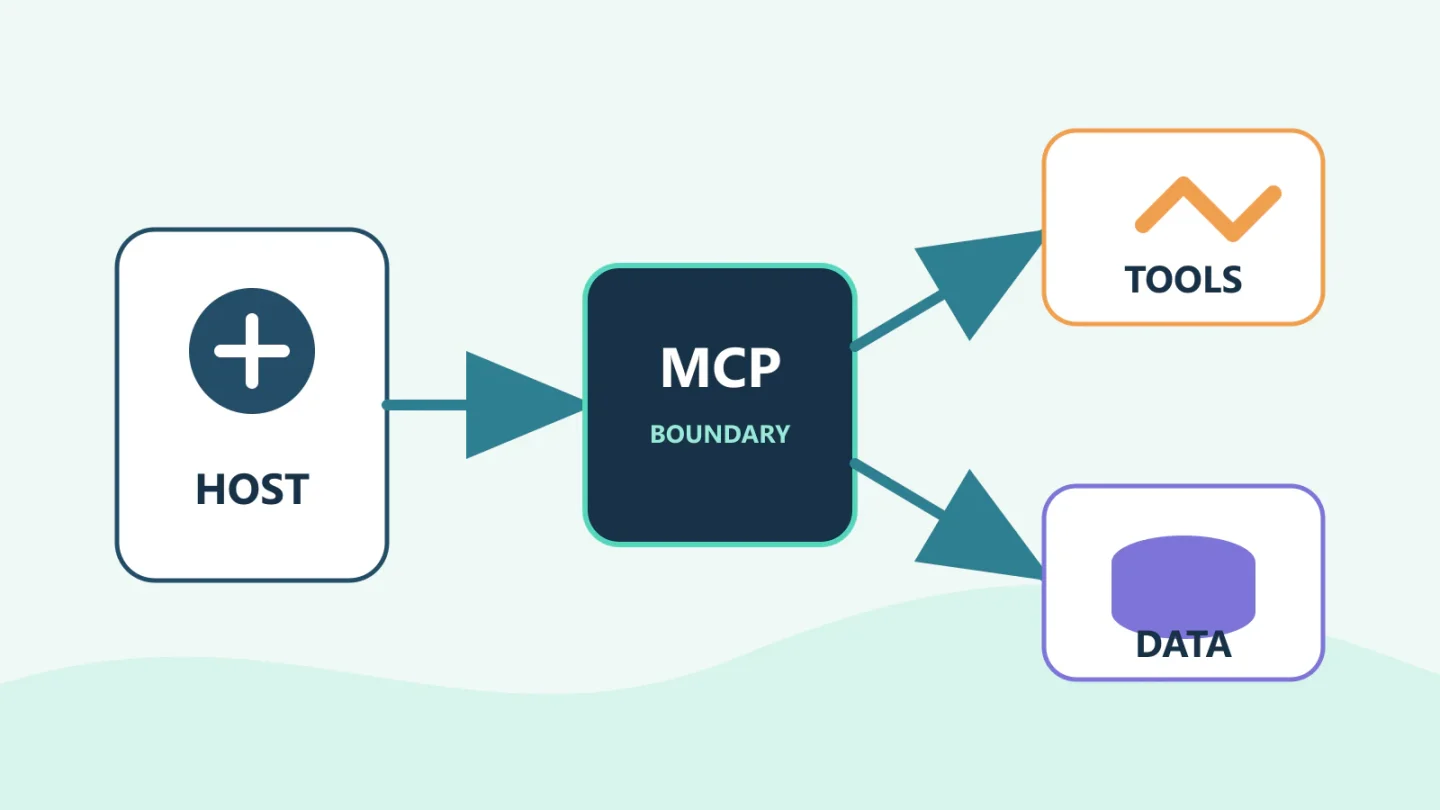
Modern AI products use several overlapping words for the same visible outcome: the assistant can reach another application. Underneath, however, an API, tool, connector, plugin, Model Context Protocol server, and agent describe different layers. Mixing them together makes architecture reviews confusing and permission reviews dangerous.
The clean mental model is simple: an application owns the user experience and policy; a model chooses or fills a tool call; a protocol or adapter carries that request; and a downstream API performs the real operation. A plugin may package several of those pieces. An agent is the loop that decides what to do next. None of these labels replaces authentication, authorization, or normal application security.
Reviewed: August 2026. This article reflects the MCP 2026-07-28 specification revision. MCP is evolving, so implementations should negotiate and pin supported protocol behavior rather than assume every client and server implements the same revision.
The vocabulary, without the marketing fog
API
An application programming interface is the contract a system exposes to software. A REST endpoint that creates a ticket, a GraphQL query that reads customer data, and an SDK method that starts a cloud job are APIs. They define operations, data formats, authentication, errors, and often rate limits.
AI integration does not remove the API. In many designs, the model-facing layer ultimately calls the same API that a web application or automation would use.
Tool
A tool is a capability presented to a model in a machine-readable form. It normally has a name, description, and input schema. The model can propose a tool call with structured arguments; trusted application code decides whether and how to execute it.
A tool might wrap one API operation, a deterministic multi-step workflow, a database query, a local file function, or another agent. Tool design should expose a safe unit of intent. A narrow create_support_ticket tool is easier to authorize than a generic http_request tool.
Connector
“Connector” is a product term rather than one universal protocol. It usually means a configured integration between an AI host and a service such as a document repository, CRM, issue tracker, or collaboration platform. The connector may handle account setup, OAuth, indexing, data synchronization, a curated set of tools, or all of those.
A connector can be built with MCP, a vendor-specific API adapter, or another integration framework. Ask what it actually installs, what data it retrieves, which actions it exposes, and whose credentials it uses.
Model Context Protocol
MCP is an open protocol for connecting AI applications to context and capabilities. Under the 2026-07-28 architecture, a host manages clients, and each client communicates with exactly one server. Servers can expose three important primitives:
- Tools: executable functions the model can request.
- Resources: data or content the application can place in context.
- Prompts: reusable message templates or workflows.
MCP standardizes discovery and message exchange. It does not make every server trustworthy, grant permission to a downstream system, or decide whether a tool call is appropriate.
Plugin
A plugin is a distribution and extension package defined by a particular host product. There is no single plugin format shared by all AI systems. Depending on the platform, a plugin may bundle instructions, skills, custom agents, hooks, executable code, UI, and MCP server configuration.
For example, Claude Code plugins can package skills, agents, hooks, language servers, and MCP servers. Enabling such a plugin can therefore do much more than add a prompt. Security review must consider every packaged component and dependency, not just the marketplace description.
Agent
An agent is the decision loop. It receives a goal, examines context, chooses a tool or another action, observes the result, and repeats until it finishes, reaches a limit, or asks for help. The model may be the reasoning component, while the host supplies memory, tools, policy, and execution.
An agent can use direct function calling, MCP tools, vendor connectors, plugin-provided capabilities, or any combination. MCP connects systems; it does not by itself make the model agentic.
How an MCP request actually moves
Consider an assistant asked to “open a ticket for the failed production deployment and attach the relevant logs.” A typical flow is:
- The user authenticates to the host application.
- The host loads approved instructions, context, and available tool definitions.
- The model proposes calls such as
get_deployment_status,query_logs, andcreate_ticket. - The host checks whether the user and agent may invoke each tool and whether approval is required.
- An MCP client sends the call to its connected MCP server.
- The server validates the request and calls the deployment, logging, or ticketing API with an appropriate downstream identity.
- The server returns a bounded structured result.
- The host gives the result to the model, which decides whether the goal is complete.
- The host records the tool request, policy decision, execution result, and final user-visible outcome.
Each step is a distinct trust boundary. The model is not the OAuth client, the MCP server is not automatically the authorization server, and discovering a tool is not permission to run it.
Host, client, and server responsibilities
The host owns the user relationship
The MCP host is the AI application or development environment. It coordinates model interaction, creates and manages clients, controls which servers can connect, handles user authorization decisions, aggregates context, and enforces product policy. The current MCP architecture keeps full conversation history in the host and gives each server only the information needed for its request.
This makes the host the natural place for enterprise allowlists, approval UX, cross-server isolation, and data-sharing policy. A host that auto-connects arbitrary repository configuration or silently approves tools weakens that boundary.
The client is a protocol connection
An MCP client is the host-side component that communicates with one server. In the current stateless protocol revision, requests carry their protocol version and capabilities. Clients and servers can discover supported behavior and must not assume features that were not declared.
The word “client” here does not mean the end user’s laptop. A single desktop host may create several MCP clients, one per server.
The server adapts capabilities
An MCP server exposes focused tools, resources, and prompts. It can run locally as a subprocess or remotely as a service. It often translates between MCP messages and an existing API. A server may also contain significant business logic, credential handling, state, and network access, which means it is part of the application’s trusted computing base.
A local server launched through standard input/output executes code on the user’s machine with the permissions provided to that process. A remote server moves execution to another environment but introduces network, hosting, and service-identity considerations. Neither transport is inherently safe.
Authentication is not authorization
Authentication establishes who an actor is. Authorization decides what that actor may do. A user successfully signing in to a remote MCP server does not mean every tool, record, or action should be available.
For HTTP-based transports, the current MCP authorization specification defines an OAuth-based flow. It uses protected resource metadata for discovery, supports several client-registration mechanisms, requires resource indicators so tokens are bound to the intended MCP server, and requires access tokens in the authorization header rather than the URL. Servers must validate that tokens were issued for them and must not pass the same token through to an upstream API.
That last point is important. If an MCP server calls a third-party API, it may need to act as its own OAuth client to that API. The downstream token is a separate credential with a separate audience. Passing the user-to-MCP token directly through can create token theft and confused-deputy risks.
The core authorization mechanism is optional because not every transport or deployment needs the same flow. Standard-input/output servers typically receive credentials through their environment rather than performing the HTTP authorization protocol. “MCP-compatible” therefore does not tell you how a specific server protects access.
Permission exists at several layers
A mature design separates at least five decisions:
- Installation: May this plugin, connector, or server configuration enter the environment?
- Connection: May this host start or contact this server?
- Discovery: Which tools, resources, and prompts may the host expose to the model?
- Invocation: May this user and agent call this tool with these arguments now?
- Downstream action: May the server identity perform the resulting operation on the target system?
An MCP tool list is capability discovery, not an access-control list. Tool annotations and descriptions can assist user interfaces and models, but the specification warns that tool metadata should be treated as untrusted unless it comes from a trusted server. Real authorization belongs in policy and downstream services.
For higher-risk integrations, include cloud security and governance in the architecture review, particularly when tools cross accounts, tenants, or regulated data boundaries.
Common trust failures
Tool poisoning
A malicious server can publish a tool description that contains hidden or misleading instructions, or change its description after approval. Treat server metadata as software-supply-chain input. Pin versions where possible, review changes, and do not grant new capabilities merely because they appear during discovery.
Overbroad credentials
A read-only use case may be connected with an account that can write or administer. The model sees only a “search” tool, but a compromised server process can use its ambient token directly. Scope credentials at the source system and separate read, write, and admin identities.
Prompt injection through resources and results
Data returned by an MCP server can include adversarial instructions. Treat it as untrusted content, minimize what enters model context, and enforce authorization after the model proposes an action. A content filter cannot replace a tool policy.
Cross-server data leakage
An agent may read sensitive information from one server and send it to another. The individual calls may each be allowed while the combined flow violates policy. Hosts need data-flow rules and destination-aware approvals, not just per-tool toggles.
Local-code execution
A local MCP server is an executable dependency. It may read environment variables, local files, credentials, and network resources available to its process. Review the package source and publisher, pin dependencies, isolate the process, and avoid commands that download and execute mutable code on every start.
Approval fatigue
Prompting before every low-risk read can train users to approve without reading. Group permissions by meaningful risk while keeping consequential actions specific. An approval should name the target and effect, not merely say “run tool.”
Enterprise architecture implications
MCP can reduce duplicated adapter work, but it also makes integrations easier to add than many organizations are prepared to govern. A platform team should provide a paved road:
- an approved registry or catalog with owner, source, version, review date, and data classification;
- host policy that blocks unapproved servers and tools;
- separate development and production server configurations;
- central identity with short-lived, audience-bound credentials;
- tool-level scopes and argument-level policy;
- secret storage outside repositories, prompts, and plugin bundles;
- network egress controls and approved remote destinations;
- structured audit events for connection, discovery, invocation, authorization, and result;
- version pinning, dependency scanning, and rollback;
- an emergency way to disable a server or tool across hosts; and
- an owner responsible for downstream API changes and incident response.
OWASP’s guide for third-party MCP servers recommends the same general posture: threat-model external servers, apply least privilege, sandbox clients, secure discovery, retain human oversight, and govern the lifecycle rather than treating connection as a one-time setup task.
When to use a direct API, MCP, connector, or plugin
| Need | Usually start with | Reason |
|---|---|---|
| One application calls one stable service | Direct API adapter | Smallest dependency and clearest control surface |
| Several AI hosts need the same tools or resources | MCP server | Shared discovery and interoperability can reduce duplicate adapters |
| Users need managed account setup and curated service access | Vendor connector | Productized onboarding, indexing, identity, and support may matter more than protocol choice |
| A team needs reusable instructions, hooks, agents, and integrations | Host-specific plugin | Packages multiple extension components for repeatable distribution |
| A model must adaptively choose and sequence actions | Agent using approved tools | The requirement is dynamic orchestration, not merely connectivity |
Do not introduce MCP only because an endpoint exists. If one controlled application needs one operation, a direct API wrapper may be simpler to secure and operate. Conversely, if multiple approved hosts need a stable portfolio of capabilities, a well-designed MCP server can create a useful shared boundary.
Implementation review checklist
- Identify the host, each client connection, each server, and every downstream API.
- Record the protocol revision and negotiated capabilities.
- Review local and remote servers as executable supply-chain dependencies.
- Document installation, connection, discovery, invocation, and downstream authorization separately.
- Bind tokens to the intended resource and never pass them through to unrelated APIs.
- Use separate read and write tools with narrow schemas and trusted argument validation.
- Filter data before context and control flows between connected servers.
- Require specific approval for externally visible, privileged, destructive, or financial actions.
- Restrict network access, file access, secrets, and process privileges.
- Log policy decisions and real downstream effects without storing unnecessary sensitive content.
- Test disablement, credential revocation, server failure, and version rollback.
Connectivity should make boundaries clearer
MCP is valuable because it gives hosts and servers a common language for capabilities. Plugins and connectors can make those capabilities easier to distribute and configure. Agents can compose them into useful work. The architecture is successful only when each layer makes ownership and authority more explicit.
If you need to design an AI integration layer, select between direct APIs and MCP, or establish controls for an enterprise tool catalog, explore Bluegrass Cloud’s AI solutions and implementation service or start a conversation with the systems and use case involved.
Sources and further reading
- Model Context Protocol 2026-07-28 specification: Architecture
- Model Context Protocol 2026-07-28 specification: Server features
- Model Context Protocol 2026-07-28 specification: Authorization
- OpenAI: MCP and connectors
- Anthropic: Claude Code plugins reference
- OWASP: Securely using third-party MCP servers